Almost every consumer-grade recovery tool (Recuva, EaseUS, Disk Drill) was built for spinning hard drives. When you run them against a failed SSD, they either find nothing (because the SSD's controller isn't responding) or they trigger TRIM commands that erase the very data you're trying to recover. SSDs need a different approach. Stop trying tools you'd use on a hard drive.
If you're reading this, your SSD has done what SSDs do: failed without warning. You were working on something this morning, you closed the laptop, you opened it again, and now the operating system tells you there's no drive. Or the computer won't boot. Or BIOS shows the drive is gone. There were no symptoms. No slow downs. No errors. Just working one moment, gone the next.
This is a normal SSD failure mode. Frustrating, but normal. The article below explains why SSDs fail this way, why recovery is harder than for hard drives, and what's actually possible.
Why SSDs fail without warning
A spinning hard drive has moving parts. Bearings wear, motors degrade, heads come closer to the platter as the suspension ages. The drive usually warns you: slower performance, occasional errors, the SMART status starts reporting reallocated sectors, the drive starts sounding different. You get weeks or months of warning if you're paying attention.
An SSD has no moving parts. The failure modes are fundamentally different and most of them don't produce gradual warnings.
The controller is the single point of failure
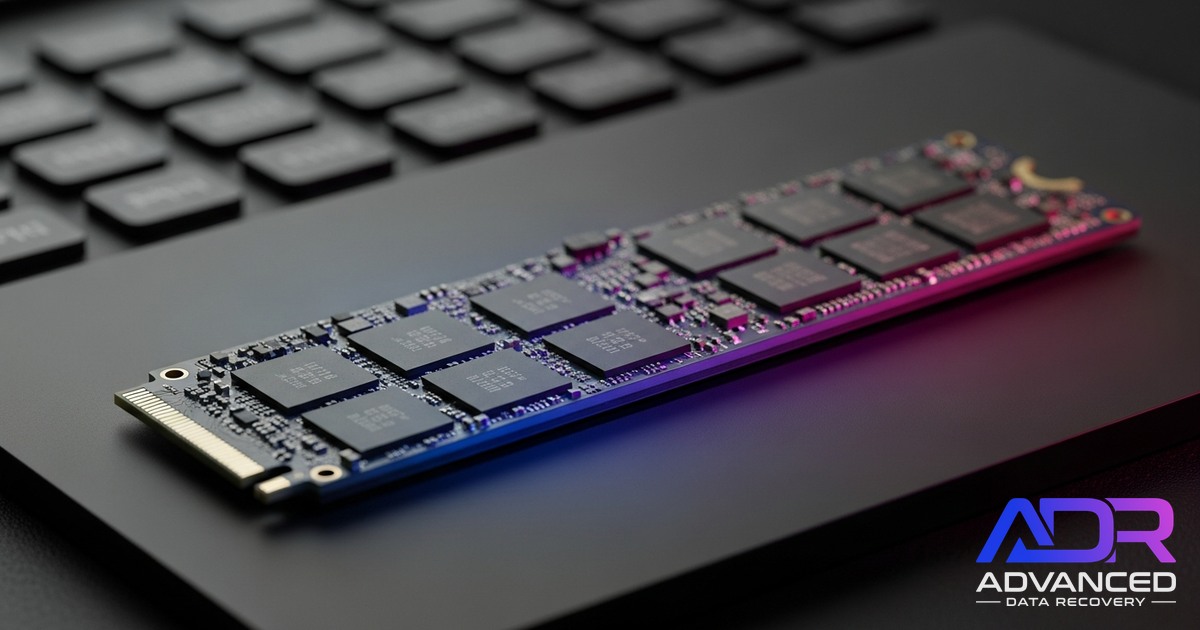
An SSD is essentially a controller chip plus a collection of NAND flash memory chips. The controller does the entire job of taking the operating system's read and write requests and turning them into operations on the flash chips. Without a working controller, the flash chips are just unaddressable storage. There's no way for the computer to talk to them directly.
When an SSD controller fails (which is the most common SSD failure mode), the drive becomes invisible to the system. BIOS doesn't see it, the operating system doesn't see it, no recovery software can see it. The drive isn't damaged in the traditional sense. The data is fully intact on the NAND chips. But the gatekeeper is dead, and there's no way through it without specialised hardware.
Power failures are SSD killers
Many SSD failures trace back to a single event: an unexpected power loss. SSDs use a small RAM cache and they're constantly rebuilding internal mapping tables. If the power cuts out while the controller is mid-operation, the mapping tables can corrupt. The drive boots, the firmware can't make sense of its own state, and the controller refuses to come online.
Modern SSDs include capacitors specifically to protect against this. Older or cheaper SSDs don't, and a power event can kill them instantly.
Firmware bugs and bricked drives
SSDs run firmware. Firmware has bugs. Some bug categories cause the drive to brick itself under specific conditions, sometimes after a specific number of write cycles, sometimes after a firmware update goes wrong. The drive locks itself into a state where it stops responding to standard ATA commands. Looks identical to a controller failure from the outside.
NAND wear and bad blocks
NAND flash has a finite number of write cycles. Modern SSDs handle this with wear-levelling (spreading writes evenly across the chips) and over-provisioning (keeping spare blocks to replace failed ones). When the wear-levelling can no longer keep up with the failure rate of individual blocks, the drive can either degrade gracefully (read-only mode) or fail entirely. Older SSDs and cheaper SSDs are more prone to this.
Encryption module failure
Most modern SSDs encrypt their NAND contents using a key stored in the controller. If the controller's encryption module fails, even with the NAND chips intact, the data is encrypted gibberish without the controller's specific keys. This is why some SSD recoveries are physically possible (the chips read fine) but logically impossible (the contents are encrypted and unreadable).
Why DIY tools don't work on SSDs
Consumer recovery software was built in the hard drive era. The model it assumes:
- The drive is detected by the operating system at the block level.
- The file system layer is damaged or the files are deleted.
- The software scans the raw drive looking for file signatures.
- The software reads the underlying data sectors directly.
None of these apply when an SSD controller has failed:
- The drive isn't detected at the block level. The operating system doesn't even see a drive to scan.
- There's no file system to read. The software can't get past the controller to see the file system.
- There's no raw drive to read. The flash chips are physically present but logically inaccessible.
Even when an SSD is partially functional, recovery software often makes things worse. SSDs use a feature called TRIM that allows the operating system to tell the drive "these blocks are free, you can erase them when convenient." When recovery software starts scanning a partially-failed SSD, the controller often interprets the scan activity as normal use, triggers TRIM on the "free" blocks, and actively erases the deleted data you were trying to recover. Recovery software designed for hard drives doesn't know to disable TRIM, and on most operating systems it's enabled by default.
If your SSD has failed
Stop running recovery tools. SSD recovery is its own specialty. We're set up for it.
What professional SSD recovery actually involves
SSD recovery is harder than HDD recovery in most cases, and it requires different tools, different techniques, and different decisions. Here's what the process looks like in the workshop.
Diagnosis first
We never assume the failure mode. The first step is figuring out whether the controller has died, the firmware has bricked, the NAND has worn out, or something else entirely. Each diagnosis points to a different recovery path.
Methods we use for diagnosis:
- Power profiling: connect the SSD to a current-monitored power supply and watch its boot sequence. Healthy SSDs have a characteristic power signature. Failed controllers produce abnormal signatures.
- Service-mode connection: SSDs have undocumented service-mode commands that let us talk to the controller directly, bypassing the standard ATA/NVMe interface. These reveal the drive's actual state.
- Visual inspection: open the case, inspect the PCB, look for burnt components, swollen capacitors, or physical damage.
- NAND health check: if the controller is partly working, we can sometimes query the wear state of the NAND chips and identify whether the underlying storage is the failure point.
Controller-level repair
If the controller has firmware issues but isn't physically damaged, we can sometimes load custom recovery firmware that bypasses the bug or unbricks the drive. This works for specific drive models and specific failure modes. It's a known process for some controllers (SandForce, Phison, certain Samsung), more difficult for others.
PCB swap
For some failures, swapping the SSD's PCB onto a donor PCB with matching firmware can bring the drive back. This is harder than the equivalent hard drive PCB swap because SSD firmware is more tightly tied to the specific chips it was paired with at the factory. Donor matching needs to be exact.
Chip-off recovery
The last resort for SSDs with completely failed controllers. The NAND chips are desoldered from the PCB and read directly using specialised chip programmer hardware. This bypasses the controller entirely.
The challenge with chip-off SSD recovery is that the data on the NAND chips is not stored in a simple, linear form. The controller manages a complex translation between logical addresses (what the operating system sees) and physical NAND locations (where the data actually lives). This translation includes wear-levelling, bad block remapping, encryption, and compression. To reconstruct the original data after chip-off, all of these layers need to be reversed in software.
For some controllers (Phison, some Samsung) the translation logic is well-documented and recovery is straightforward. For others (Apple's proprietary SSDs in MacBooks, some newer NVMe controllers) the translation is proprietary, undocumented, and may not be reversible at all. We'll tell you up front if your specific drive falls into the "we can read the chips but can't decode them" category.
Encrypted SSDs
If the failed SSD had hardware encryption enabled, even successful chip-off and decoding produces encrypted output. Without the key (which lived in the dead controller), the data is unreadable. This applies to:
- Most modern Samsung SSDs (Self-Encrypting Drives by default)
- Apple SSDs in T2 and Apple Silicon Macs (always encrypted, key in the security chip)
- Drives where the user enabled BitLocker, FileVault, or LUKS
- Many enterprise SSDs
For these drives, recovery is sometimes possible if the encryption key chip is intact (we can extract the key separately), or if you have your BitLocker / FileVault recovery key (we can decrypt after extracting the raw data). For Apple Silicon Macs without a recovery key, recovery is generally not possible.
Realistic outcomes
- Older SSD (pre-2018), unencrypted, controller failure: Often recoverable. PCB swap or chip-off works for a wide range of these drives. 70-90% success rate.
- Modern consumer SSD (2018+), unencrypted, controller failure: Often recoverable but more work. Chip-off is the usual path. 50-80% success rate.
- Modern consumer SSD, hardware-encrypted (Samsung, Crucial, etc.): Recovery depends on whether we can extract the key. 30-60% success rate.
- Apple proprietary SSD in MacBook (T2 / Apple Silicon): Often not recoverable due to Secure Enclave dependency. We're honest about this on the phone before you ship the device.
- NAND wear-out (drive worked for years, then died): Often partially recoverable. Some blocks readable, some not. Files may have holes.
- Firmware bug bricked drive: Sometimes recoverable via service-mode unbricking. Sometimes not. Depends on the specific drive and bug.
Cost and timing
SSD recovery typically lands in the Hardware Recovery tier ($1,500-$2,800) for standard controller failures, and Critical Recovery ($3,000+) for chip-off, encrypted, or Apple proprietary drives.
Timing is variable. Controller-level recovery can be quick (3-7 business days). Chip-off and encrypted recovery typically take 2-4 weeks. Apple proprietary drives sometimes take longer because the diagnosis itself can be slow.
Free assessment, fixed-price quote before any work begins. If we can't recover the data, you pay only the $150 attempt fee.
What to do right now
- Don't run consumer recovery software. It won't help and may make things worse if the drive is partially responsive.
- If the SSD is in a laptop that won't boot, don't keep trying to boot it. Each boot attempt is power cycle on a drive that's struggling, and some SSDs degrade further with each one.
- If the SSD is external and not detected, unplug it and leave it alone.
- Check your backups first. Time Machine, Google Drive, Dropbox, OneDrive, iCloud. SSDs fail often enough that responsible operators back up. If you're covered, you don't need us.
- If you don't have a backup, contact us. We'll talk you through the symptoms, give you an honest assessment of likelihood before you ship, and quote after we open the drive.
SSDs fail suddenly and they fail completely. There's rarely a way to coax one back to life from outside the controller. But the data is usually still on the chips, and with the right tools and the right approach, much of it is still reachable.